Improved architecture to support larger entity counts, a behavior engine focused on coordinated unity behaviors, updated user interface, and new content.
|
|
Welcome to VR-Forces 5.0
MAK ONE Multi‑Domain Computer Generated Forces
|
|
|
|
|
|
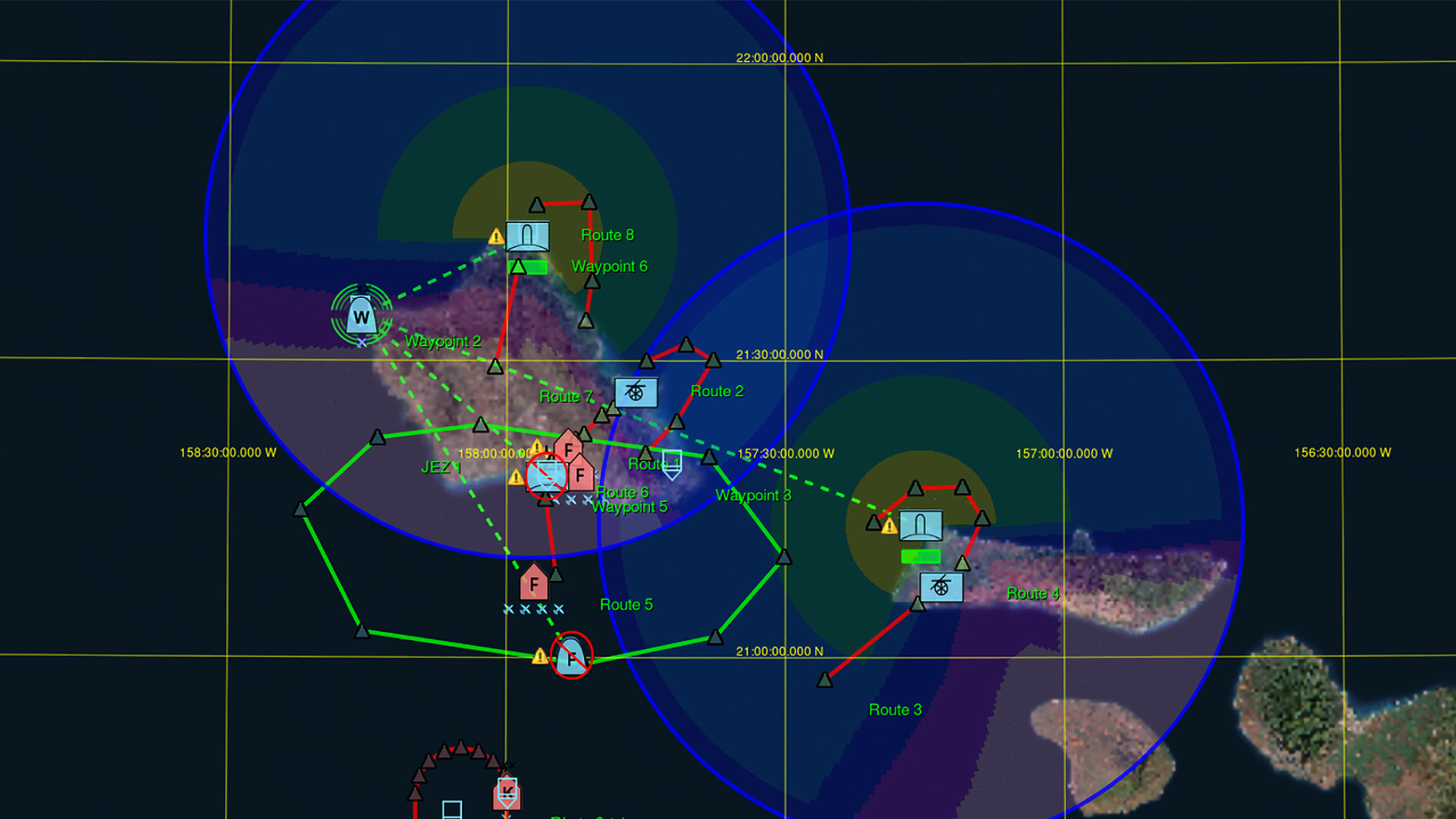
This major feature release introduces significant improvements to bring you a whole world, multi-domain, simulation platform. Major focus areas are: improved architecture to support larger entity counts; behavior engine improvements for coordinated unit behaviors, end-user focused updates to the user interface, and lots of new content.
For a full list of improvements and bug fixes, explore the full VR‑Forces 5.0 release notes.
|
|
|
|
Architectural Changes for Large Entity Counts
We have refined the simulation engine architecture within VR-Forces 5.0 to achieve significantly higher entity counts. This has primarily been achieved by moving the VR-Forces Sim engine to a double buffer architecture, where information from the current frame is disconnected with information from the future frame. This allows for entities to be updated, "ticked", in parallel taking advantage of multi-core hardware environments. While the specific maximum number of entities you can simulate still depends greatly on the specifics of your scenario, our internal benchmarking indicates that scenarios can yield between 3 and 10 times as many entities in an HLA Environment. To learn more about our Focus on Simulation Scale, read the MAK ONE Release announcement.
|
|
|
|
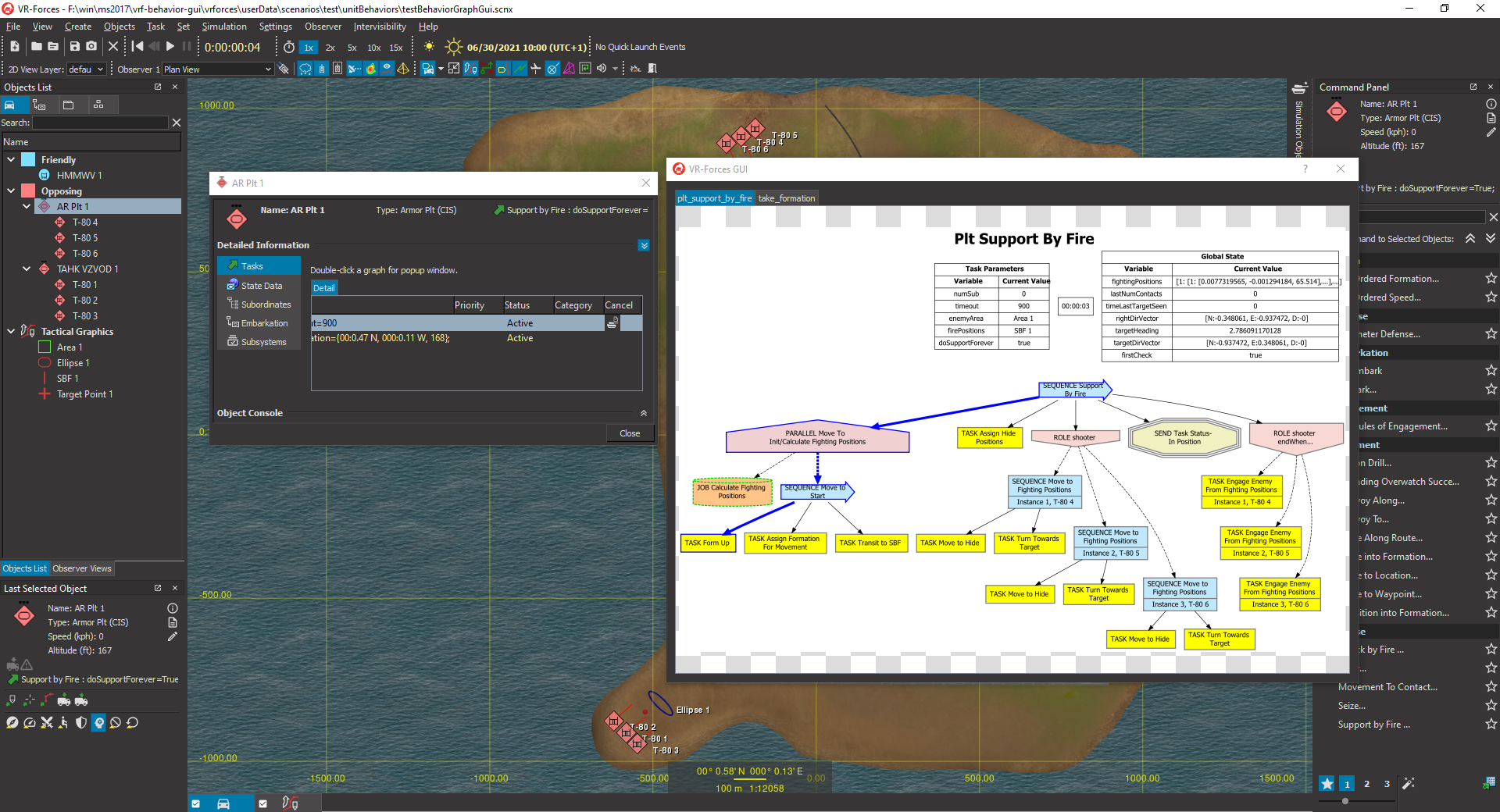
This release makes significant enhancements to the VR-Forces Behavior Engine to make it easy to build complex behaviors for collaborative team modeling. The ability to make unit-level behaviors and describe them with a behavior tree was added along with a graph tool to help visualize their iterating, branching, and looping structures. The graph updates in real time to show the internal state of the unit's behavior.
The behavior tree, along with the new ability to send spot reports to units and assign roles within units allows for some very interesting and complex coordinated behaviors. We have used this new modeling technique to model some company-level behaviors such as Breaching, Move to Contact, and Attack by Fire.
This is just a start, the real power of this capability is now in the hands of our system integrator customers, who we work with to move the state of the art forward. Coordinated unit behaviors can now be created more rapidly than ever to model section, squad, platoon, company, and higher echelon behaviors.
The MAK ONE behavior engine is a multi-domain tool, it can be used as easily to model coordinated air and sea behaviors such as drone swarms or ship maneuvers. Let's work together to make the most realistic synthetic environments possible.
|
|
|
|
User Interface
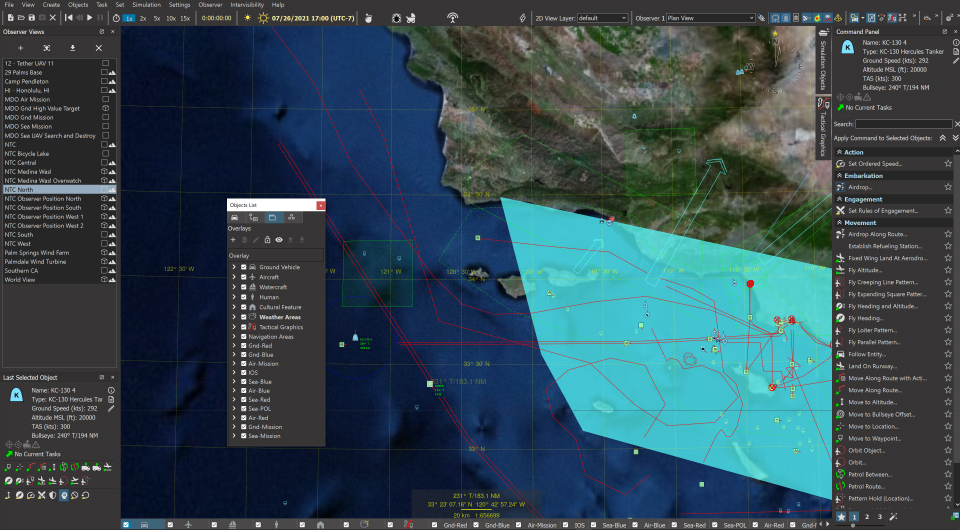
VR-Forces 5.0 offers a whole new look. Besides moving to a more modern dark mode, we have overhauled all our user interfaces to make the user experience more enjoyable and effective.
- Menus and toolbars have been reorganized to be more end-user centric – typical engineering level debugging features have been removed from toolbars while features making scenario creation and control have been added.
- 2D symbology has been simplified to have less information shown when not selected or when extremely zoomed out. This makes for much less clutter on the screen allowing users to clearly see what is important in their scenario. For extremely large scenarios, when zoomed out sufficiently the icons will reduce in size making it easier to follow the action over an extremely large area.
- A new Command Window has been added for rapid task identification. Users can select favorite tasks, and users can show only user-centric tasks while hiding lower-level tasks. For those who still love the right click toolbar, do not worry, it is still available for you.
- The weather dialog has been reorganized to be more readable and intuitive.
- VR-Forces application icons have all been redesigned to be both more modern while also being simpler to understand.
|
|
|
Scenario Creation
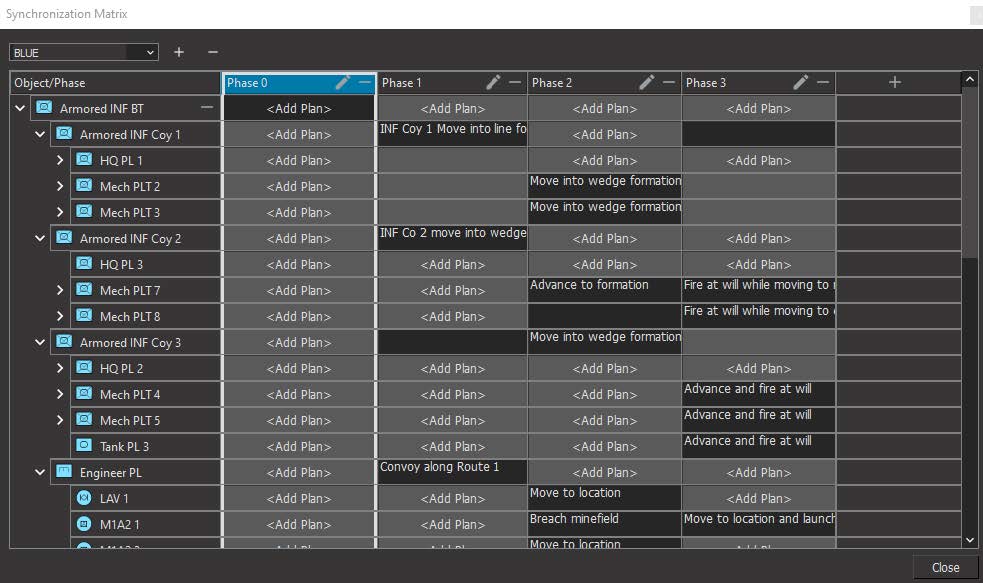
We have added support for Sync Matrices (example shown above) to VR-Forces plan creation. A sync matrix is just a two-dimensional grid of phases and entities. Using the Sync matrix, you can assign plans to entities for a specific phase of the scenario. This closely aligns with how actual missions are planned and how most C2 systems work. VR-Forces offers support for multiple sync matrixes, so its possible to combine multiple battle plans, for example one for OpFOR and the other for friendly forces.
|
|
|
Content
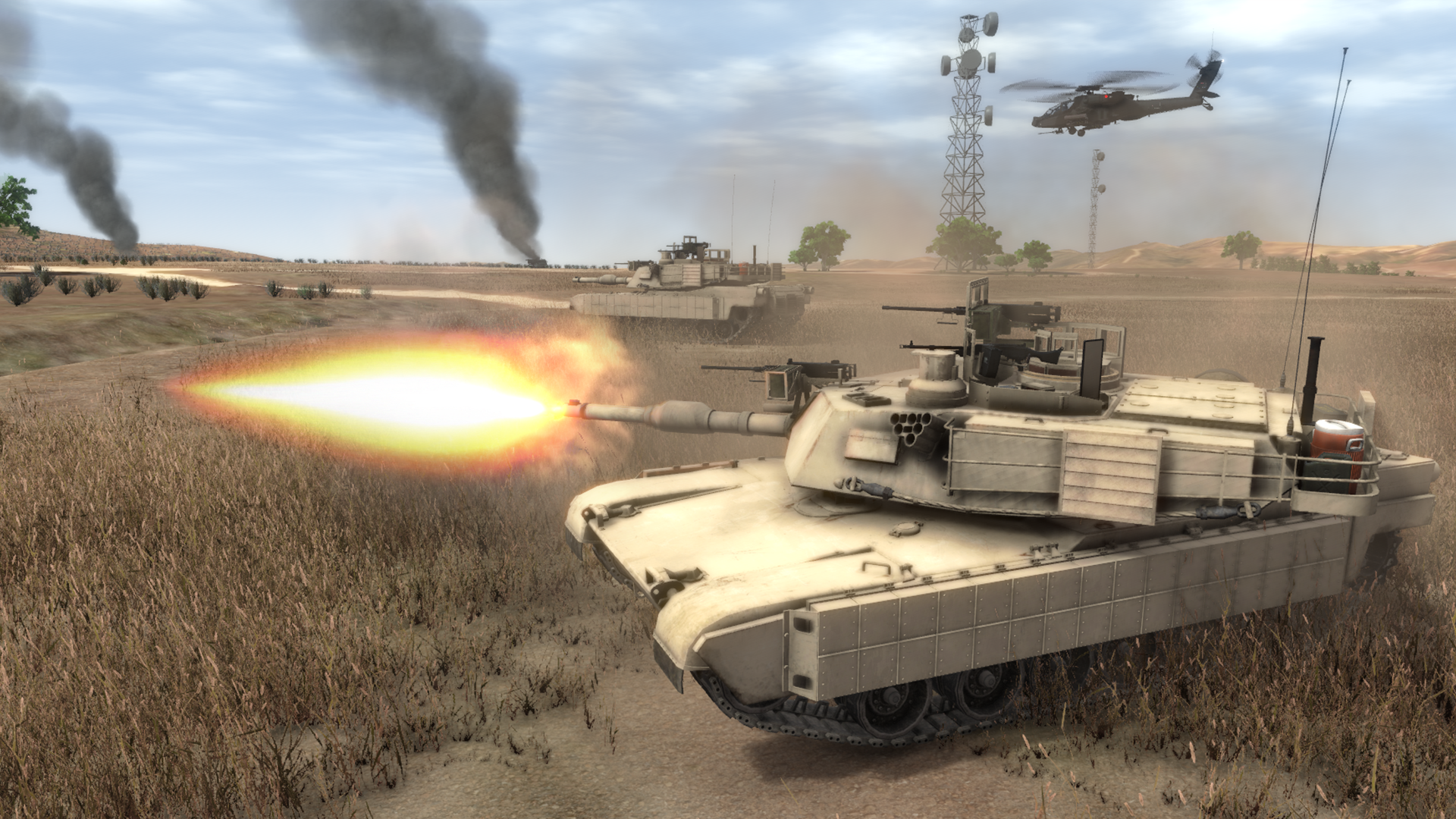
We've added hundreds of new models all attributed with textures and properties for visual rendering as well as material classifications for physics-based sensor rendering. New models designed for immersive scenes include rotating parts (wheels, blades, treads) and new particle systems for realistic visual effects.
We've added so much new content that it would be impossible to list it all here. You can view the full listing in the VR-Forces Entity Model Catalog.
|
|
|
Unified Data Directory
All the MAK ONE Applications, VR-Forces 5.0, VR-Vantage 3.0, and VR-Engage 2.0 all now share a single installation of MAK Data version 16. This data package can be installed in a common location to supply 3D Models, 2D Icons, audio files, terrain configurations, HUDS, overlays, particle systems and more, to all the MAK ONE Applications. MAK Data can be installed on a single machine to share with the applications running on that machine, or it can be installed on a network share to provide data to all the applications running on a local network. Either way, this shared data greatly reduces the disk space required when running multiple MAK ONE applications.
|
|
|
More Major Updates
We’ve made many more updates and improvements to VR-Forces! These include:
- Major updates to our artillery model, including a fully modeled battery, adjustment fires, sheafing, and configurable fusing.
- Overhaul of our Air to Ground attack capabilities – now we include MGRS targeting, multiple simultaneous munition releases, time-on-target scheduling, and additional optional parameters allowing for realistic CAS support.
Please have a look through the VR‑Forces 5.0 release notes for a complete list of improvements and bug fixes.
|
|
|
|
As always, please share your questions and comments with your “engineers down the hall” at support@mak.com, or explore the support resources available at www.mak.com/support.
|
|
|
| |
|
|
|
