 |
VR-Forces 4.5 Class Documentation
|


All Classes Namespaces Files Functions Variables Typedefs Enumerations Enumerator Friends Macros Groups Pages
|
VR-Forces 4.5 Class Documentation
|
The diagrams on this page illustrate how various subsystems work together to specify potential targets, detect targets, and develop a target list.
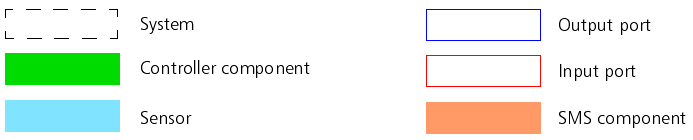
The following figure is a key to the diagrams:
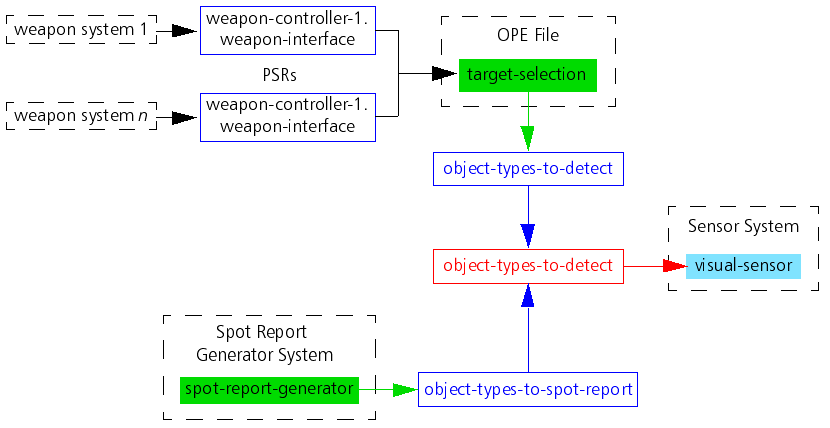
Based on input from its weapons systems, and the spot report generator system (if it is active), a sensor system determines what simulation objects it should try to detect.
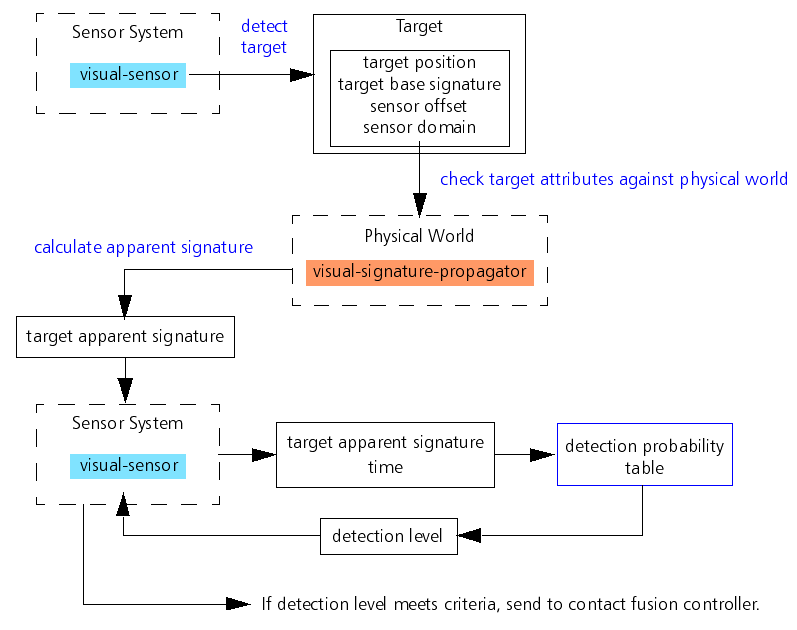
The sensor system interacts with the physical world to detect simulation objects. The information from the physical world modifies the absolute signatures of the detected simulation objects to return an apparent signature. The apparent signature is input to the combat identification level table to determine the detection level of the detected simulation objects. A simulation object cannot attack until the detected simulation object reaches the "Identified" level of detection.
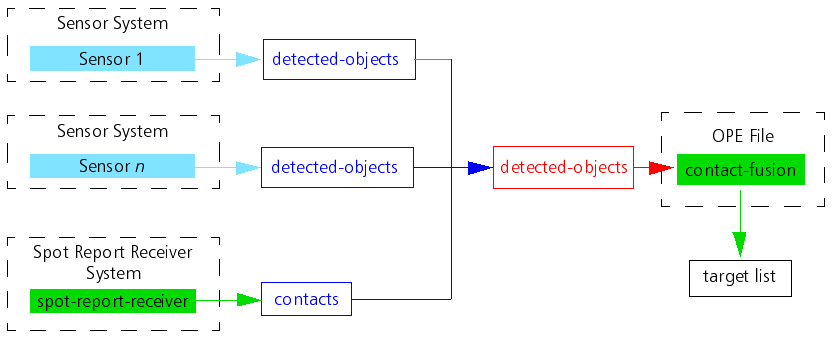
The sensor systems on the simulation object and, if activated, the spot report receiver, send a list of detected simulation objects to the contact fusion controller, which generates a list of targets for the weapon systems to use.