|
DI-Guy Lua AI SDK
|
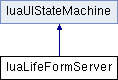
Public Member Functions | |
| create_squad (profile_name, pos) | |
| Creates a squad of given profile type and position. More... | |
| create_object_state (name, prop_appearance, mind, size) | |
| Creates a prop character, which can be interacted with by human characters. More... | |
| blitz_food_stand_state () | |
| Creates a food stand. More... | |
| blitz_mosque_state () | |
| Creates a mosque. More... | |
| blitz_lounge_state () | |
| Creates a lounge. More... | |
| blitz_mideast_peds_state () | |
| Creates a group of middle eastern pedestrians. More... | |
| blitz_squad_state (squad_type) | |
| Creates an infantry squad (friendly or not) More... | |
| blitz_fire_team () | |
| init_package () | |
| create_civilian_objects (panel) | |
| create_opfor_objects (panel) | |
| terrain_creation_state () | |
| create_IED_state (object) | |
| entry_point () | |
| reset_package () | |
 Public Member Functions inherited from luaUIStateMachine Public Member Functions inherited from luaUIStateMachine | |
| init_package () | |
| this function is called at time 0 More... | |
| reset_package () | |
| this function is called at reset More... | |
| update_package () | |
| draw_package () | |
| an active draw function, set self.draw_ui to start seeing something More... | |
| begin_state (_name) | |
| Convenience function for storing the current state in the object. More... | |
| state_manager (sender, message_type, message, params) | |
| This is the main entry point from C++ into the lua framework. More... | |
| sleep (duration) | |
| This is a simple sleep function. More... | |
| wait_for_multichoice (...) | |
| This is a wait function that will wait indefinately and only wake up when one of a few specific messages are recieved. More... | |
| wait_for_message (message_to_wait_for) | |
| a function that waits for an explicit message More... | |
| show_ui_message (message) | |
| Puts a message up on screen with a label. More... | |
| hide_ui_message () | |
| get_user_selected_point (_options) | |
| sets up the ui for point selection More... | |
| get_user_selected_character (_options) | |
| sets up the ui for point selection More... | |
Public Attributes | |
| first_run = true | |
| luaLifeFormServer standard_options | y = 220 |
| luaLifeFormServer standard_options | width = 150 |
| luaLifeFormServer standard_options | bg_color = {0.1, 0.1, 0.1, 0.8} |
| luaLifeFormServer standard_options string | image = "ui/order_button.rgb" |
| red_button = "QPushButton {background-color -> rgba(210, 192, 192, 192 ); }" | |
| blue_button = "QPushButton {background-color -> rgba( 192, 192, 210, 192 ); }" | |
| green_button = "QPushButton {background-color -> rgba( 192, 210, 192, 192 ); }" | |
| luaLifeFormServer::blitz_fire_team | ( | ) |
| luaLifeFormServer::blitz_food_stand_state | ( | ) |
Creates a food stand.
| luaLifeFormServer::blitz_lounge_state | ( | ) |
Creates a lounge.
| luaLifeFormServer::blitz_mideast_peds_state | ( | ) |
Creates a group of middle eastern pedestrians.
| luaLifeFormServer::blitz_mosque_state | ( | ) |
Creates a mosque.
| luaLifeFormServer::blitz_squad_state | ( | squad_type | ) |
Creates an infantry squad (friendly or not)
| luaLifeFormServer::create_civilian_objects | ( | panel | ) |
| luaLifeFormServer::create_IED_state | ( | object | ) |
| luaLifeFormServer::create_object_state | ( | name | , |
| prop_appearance | , | ||
| mind | , | ||
| size | |||
| ) |
Creates a prop character, which can be interacted with by human characters.
| name | |
| prop_appearance | |
| mind | |
| size |
| luaLifeFormServer::create_opfor_objects | ( | panel | ) |
| luaLifeFormServer::create_squad | ( | profile_name | , |
| pos | |||
| ) |
Creates a squad of given profile type and position.
| profile_name | |
| pos |
| luaLifeFormServer::entry_point | ( | ) |
| luaLifeFormServer::init_package | ( | ) |
| luaLifeFormServer::reset_package | ( | ) |
| luaLifeFormServer::terrain_creation_state | ( | ) |
| luaLifeFormServer standard_options luaLifeFormServer::bg_color = {0.1, 0.1, 0.1, 0.8} |
| luaLifeFormServer::blue_button = "QPushButton {background-color -> rgba( 192, 192, 210, 192 ); }" |
| luaLifeFormServer::first_run = true |
| luaLifeFormServer::green_button = "QPushButton {background-color -> rgba( 192, 210, 192, 192 ); }" |
| luaLifeFormServer standard_options string luaLifeFormServer::image = "ui/order_button.rgb" |
| luaLifeFormServer::red_button = "QPushButton {background-color -> rgba(210, 192, 192, 192 ); }" |
| luaLifeFormServer standard_options luaLifeFormServer::width = 150 |
| luaLifeFormServer standard_options luaLifeFormServer::y = 220 |
 1.8.3.1
