 |
VR-Forces 4.10 Class Documentation
|


All Classes Namespaces Files Functions Variables Typedefs Enumerations Enumerator Properties Friends Macros Groups Pages
|
VR-Forces 4.10 Class Documentation
|
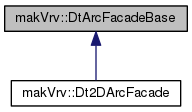
Interface class for an Arc Facade. More...
Public Member Functions | |
| virtual | ~DtArcFacadeBase () |
| Destructor. More... | |
| virtual void | setDynamicOrigin (bool) |
| Sets whether or not the origin's position is changing or not If the origin is changing (hence dynamic), we use the DtArcUpdaterAgent to update the arc's origin instead of using the arc's scene object directly. More... | |
| virtual makVrv::DtUniqueID | uniqueId () const |
| Returns the unique id of the scene object agent. More... | |
| virtual makVrv::DtElementID | elementId () const |
| Returns the element id of the scene object agent. More... | |
| virtual int | modelSet () const |
| Returns the model set. More... | |
| DtArcUpdaterAgent * | findUpdater () const |
| Returns the updater agent for this class, can return null. More... | |
| DtSceneObjectAgent * | sceneObjectAgent () const |
| Returns the scene object agent for this class. More... | |
| virtual void | setPosition (int index, const DtVector &position) |
| Set the position of a vertex in the arc. More... | |
| virtual void | setModelDefinition (const std::string &) |
| Sets the model definition for the model. More... | |
| virtual void | setPickable (bool) |
| Sets whether or not items are pickable. More... | |
| virtual void | setGroup (int) |
| Sets the group this overlay will be drawn in The higher the group number, the "closer" to the eyepoint this overlay will be drawn. More... | |
| DtOverlayArcModelAgent * | findArcAgent () |
| Returns the arc model agent used for this class This function can return null. More... | |
| virtual void | setSelected (bool) |
| Set/Get whether or not the arc is selected Default value is false (not selected) More... | |
| virtual bool | isSelected () const |
| virtual void | setDimensions (double x, double y) |
| Set/Get the axis lengths of the ellipse used to draw the arc Default value is 0, 0. More... | |
| virtual bool | getDimensions (double &x, double &y) const |
| virtual void | setScale (float scale) |
| Set/Get the scale factor of the arc Default value is 1. More... | |
| virtual float | scale () const |
| virtual void | setVisible (bool isVisible) |
| Set/Get whether the arc is visible Default value is true (visible) More... | |
| virtual bool | isVisible () const |
| virtual void | setMaxAngleSegment (double angleSegmentMax) |
| Set/Get the max angle segment used when building the geometry Default value is PI / 18. More... | |
| virtual double | maxAngleSegment () const |
| virtual void | setStartAngle (double startAngle) |
| Set/Get the start angle of the arc, in radians Default value is 0. More... | |
| virtual double | startAngle () const |
| virtual void | setEndAngle (double endAngle) |
| Set/Get the end angle of the arc, in radians Default value is PI. More... | |
| virtual double | endAngle () const |
| virtual void | setStipplePattern (unsigned int stipplePattern) |
| Set/Get the stipple line pattern of the arc Default value is 0xFFFF. More... | |
| virtual unsigned int | stipplePattern () const |
| virtual void | setLineWidth (float width) |
| Set/Get the line width of the arc Uses DtLineSegmentInterface::setWidth Default value is 1. More... | |
| virtual float | lineWidth () const |
| virtual void | setColor (float r, float g, float b, float a) |
| Set/Get the color of the arc - default is (0, 0, 0, 1). More... | |
| virtual bool | getColor (float &r, float &g, float &b, float &a) const |
| virtual void | setSelectedColor (float r, float g, float b, float a) |
| Set/Get the selected color of the arc - default is (1, 1, 1, 1). More... | |
| virtual bool | getSelectedColor (float &r, float &g, float &b, float &a) const |
Protected Member Functions | |
| DtArcFacadeBase (DtAgentManagerInterface &, DtSceneObjectAgent *agent, DtElementID id, int modelSet) | |
| Constructor that takes an existing scene object agent Throws a DtException if the provided DtSceneObjectAgent is NULL. More... | |
| DtArcFacadeBase (DtAgentManagerInterface &, int modelSet, DtElementID id, bool distribute=true) | |
| Constructor that creates a new scene object agent The given model set and element id is used to create the new scene object agent. More... | |
| virtual void | updateColors () |
| Passes set color values down to the model. More... | |
Protected Attributes | |
| DtOverlayArcModelAgent * | myArcModelAgent |
| DtSceneObjectAgent * | mySceneObjectAgent |
| DtAgentManagerInterface & | myAgentManagerInterface |
| bool | myOwnsSceneObjectAgent |
| int | myModelSet |
| DtArcUpdaterAgent * | myUpdater |
| float | myColor [4] |
| float | mySelectedColor [4] |
| makVrv::DtElementID | myElementId |
| bool | myDynamicOrigin |
| bool | mySelected |
| DtVector | myPosition |
| double | myStartAngle |
| double | myEndAngle |
| double | myMaxAngleSegment |
| double | myDimensions [2] |
| float | myScale |
| bool | myVisible |
| unsigned int | myStipplePattern |
| float | myLineWidth |
Private Member Functions | |
| DtArcFacadeBase () | |
| Default Constructor not implemented. More... | |
| DtArcFacadeBase (const DtArcFacadeBase &) | |
| Copy Constructor not implemented – Copy not allowed. More... | |
| DtArcFacadeBase & | operator= (const DtArcFacadeBase &) |
| Assignment Operator not implemented – Copy not allowed. More... | |
Interface class for an Arc Facade.
An arc with the following geometric parameters:
An arc with the following geometric parameters:
Special Considerations:
|
protected |
Constructor that takes an existing scene object agent Throws a DtException if the provided DtSceneObjectAgent is NULL.
|
protected |
Constructor that creates a new scene object agent The given model set and element id is used to create the new scene object agent.
|
virtual |
Destructor.
|
private |
Default Constructor not implemented.
|
private |
Copy Constructor not implemented – Copy not allowed.
|
virtual |
Set/Get whether or not the arc is selected Default value is false (not selected)
|
virtual |
|
virtual |
Sets whether or not the origin's position is changing or not If the origin is changing (hence dynamic), we use the DtArcUpdaterAgent to update the arc's origin instead of using the arc's scene object directly.
The updater will ensure the arc is updated according to the changing origin.
|
virtual |
Returns the unique id of the scene object agent.
|
virtual |
Returns the element id of the scene object agent.
|
virtual |
Returns the model set.
| DtArcUpdaterAgent* makVrv::DtArcFacadeBase::findUpdater | ( | ) | const |
Returns the updater agent for this class, can return null.
| DtSceneObjectAgent* makVrv::DtArcFacadeBase::sceneObjectAgent | ( | ) | const |
Returns the scene object agent for this class.
Set the position of a vertex in the arc.
Set/Get the axis lengths of the ellipse used to draw the arc Default value is 0, 0.
|
virtual |
Set/Get the scale factor of the arc Default value is 1.
|
virtual |
|
virtual |
Set/Get whether the arc is visible Default value is true (visible)
|
virtual |
|
virtual |
Set/Get the max angle segment used when building the geometry Default value is PI / 18.
|
virtual |
|
virtual |
Set/Get the start angle of the arc, in radians Default value is 0.
|
virtual |
|
virtual |
Set/Get the end angle of the arc, in radians Default value is PI.
|
virtual |
Set/Get the stipple line pattern of the arc Default value is 0xFFFF.
|
virtual |
Set/Get the line width of the arc Uses DtLineSegmentInterface::setWidth Default value is 1.
|
virtual |
|
virtual |
Set/Get the color of the arc - default is (0, 0, 0, 1).
Valid range for argument values are 0.0 - 1.0.
|
virtual |
|
virtual |
Set/Get the selected color of the arc - default is (1, 1, 1, 1).
Valid range for argument values are 0.0 - 1.0.
|
virtual |
|
virtual |
Sets the model definition for the model.
|
virtual |
Sets whether or not items are pickable.
|
virtual |
Sets the group this overlay will be drawn in The higher the group number, the "closer" to the eyepoint this overlay will be drawn.
Use this function to stack overlay objects in the particular order you want them displayed
| DtOverlayArcModelAgent* makVrv::DtArcFacadeBase::findArcAgent | ( | ) |
Returns the arc model agent used for this class This function can return null.
|
protectedvirtual |
Passes set color values down to the model.
|
private |
Assignment Operator not implemented – Copy not allowed.
|
protected |
|
protected |
|
protected |
|
protected |
|
protected |
|
protected |
|
protected |
|
protected |
|
protected |
|
protected |
|
protected |
|
protected |
|
protected |
|
protected |
|
protected |
|
protected |
|
protected |
|
protected |
|
protected |