
Overview
This example shows how to register a function with the Key Map Manager, and bind it to a key event in a key map. In this example we use the DtDeSharedState method setPerformanceOverlayOn(), and bind the key event "'" [Down] in the "Observer Frame" key map (the default).
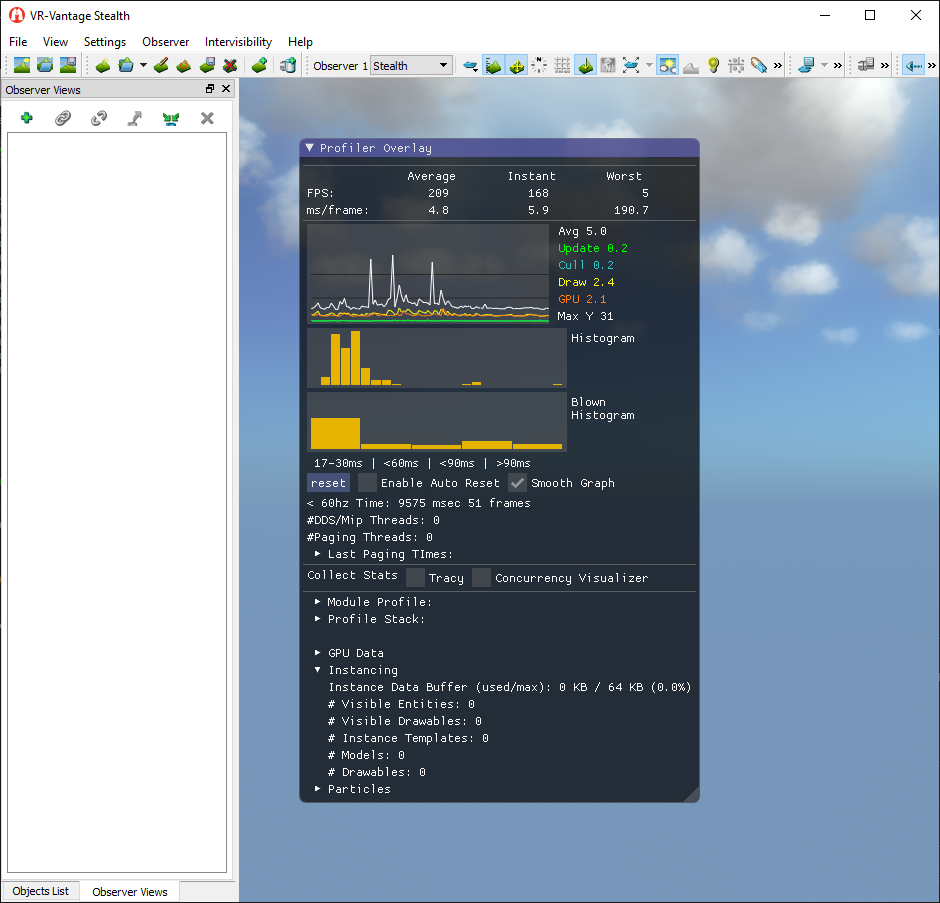
Expected Result
Key Map Result
Example details
- Get a reference to the input driver, which we need to access the Key Map Manager:
DtInputDriver& inputDriver =
- Get a reference to the Key Map Manager:
- Register the togglePerfOverlay() (and the application's instance of DtDisplayEngine) with the Key Map Manager, telling it to use "Toggle Performance Overlay" as the name of this function:
- Since the default key map is Observer Frame, add a key binding to that map. Of course, these last two steps could be omitted and instead use the Key Map Editor to create the key binding. Look up the key map:
- If the key map was found, bind the "'" key to the function named Toggle Performance Overlay. Note that the DtKeyMap (DtKeyMap.h) class has an addKeyMap() method that we could use directly, but the wrapper provided by the input driver provides some useful default parameters, making it a little easier to use:
Building the Example
VR-Vantage includes pre-built versions of the example application. To build it yourself, follow the instructions at Building VR-Vantage Examples, Applications, and Plug-ins.
Running the Example
This example is a plug-in. You can run it by running ./bin64/exampleKeyMapPlugin_stealth.bat (on Windows) or ./bin64/exampleKeyMapPlugin_stealth.sh (on Linux). Hit the apostrophe key "'" to see the performance overlay display. For more information about running examples, please see Running Applications and Examples.
Example Source Files
exampleKeyMapPlugin.cxx
using namespace makVrv;
void togglePerfOverlay(
DtDe* de)
{
{
}
else
{
state++;
}
}
void installKeyMapping(
DtDe& de)
{
if (obsFrame)
{
"Toggle Performance Overlay");
}
}
{
{
&installKeyMapping, boost::ref(de)));
}
}
{
return true;
}
[<< Examples] [Home] [Top of Page]