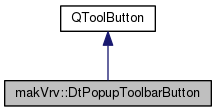
The DtPopupToolbarButton class is a toolbar which controls the display of a toolbar.
More...
The DtPopupToolbarButton class is a toolbar which controls the display of a toolbar.
| makVrv::DtPopupToolbarButton::DtPopupToolbarButton |
( |
DtPopupToolbar * |
toolbar, |
|
|
QWidget * |
parent |
|
) |
| |
|
explicit |
Constructs a toolbar button which will control the visibility of the provided toolbar.
| virtual makVrv::DtPopupToolbarButton::~DtPopupToolbarButton |
( |
| ) |
|
|
virtual |
| virtual void makVrv::DtPopupToolbarButton::setIconWithArrow |
( |
const QIcon & |
icon | ) |
|
|
virtual |
Sets the button to use an icon and an arrow next to it.
| void makVrv::DtPopupToolbarButton::showToolbar |
( |
bool |
show = true | ) |
|
Shows the toolbar and updates the state/display of the button.
| void makVrv::DtPopupToolbarButton::hideToolbar |
( |
| ) |
|
Hides the toolbar and updates the state/display of the button.
| virtual void makVrv::DtPopupToolbarButton::changeEvent |
( |
QEvent * |
event | ) |
|
|
protectedvirtual |
| void makVrv::DtPopupToolbarButton::buttonEnableDisable |
( |
bool |
enabled | ) |
|
|
protected |
| void makVrv::DtPopupToolbarButton::updateButtonIcon |
( |
bool |
checked | ) |
|
|
protected |
| void makVrv::DtPopupToolbarButton::slot_onToggle |
( |
bool |
toggled | ) |
|
|
protectedslot |
| void makVrv::DtPopupToolbarButton::on_sliderToolBarShown |
( |
| ) |
|
|
protectedslot |
| void makVrv::DtPopupToolbarButton::on_sliderToolBarHidden |
( |
| ) |
|
|
protectedslot |
| static QIcon makVrv::DtPopupToolbarButton::makeWideIconWithArrow |
( |
const QIcon & |
baseIcon, |
|
|
bool |
downArrow, |
|
|
QToolButton * |
button |
|
) |
| |
|
staticprotected |
Utility function for creating an icon with an arrow next to it.
| QIcon* makVrv::DtPopupToolbarButton::myUpArrowIcon |
|
protected |
| QIcon* makVrv::DtPopupToolbarButton::myDownArrowIcon |
|
protected |
The documentation for this class was generated from the following file: