
VR-Vantage 2.6 API Documentation
 All Classes Namespaces Files Functions Variables Typedefs Enumerations Enumerator Friends Macros Groups Pages
exampleSimple

Table of Contents

Overview

This example shows how to create a simple VR-Vantage application.
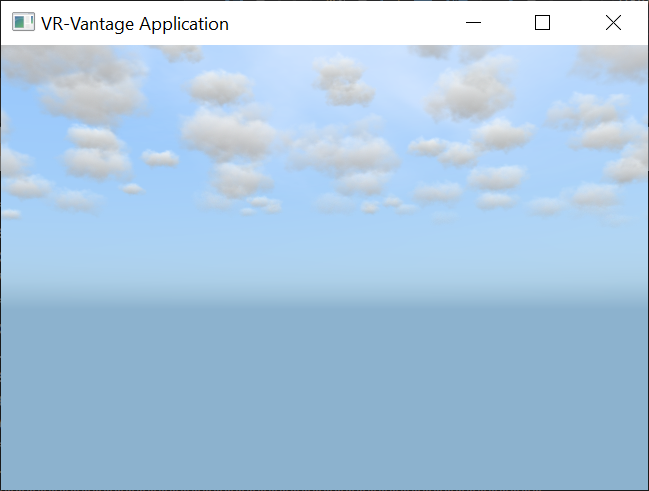
Expected Result

exampleSimple1.png
Simple Application Result

Example details

There are three required steps.

The first step is to create the DtVrvApplication.

// A DtVrvApplication wraps up all the components required to build a complete
// VR-Vantage application (DtDe, DtPluginManager, DtEventLoop, and a
// DtVrvApplicationConfiguration).
DtVrvApplication igApp;

Once the application has been created, it must be initialized.

// This causes the plugin manager to load plugins, cause a Display Configuration
// to be realized, creates the default environment, etc.
igApp.initialize(argc, argv);

Finally, the application's main event loop is started.

// Creates an event loop and begins running it, causing the creation of frames.
igApp.run();

Building the Example

VR-Vantage includes pre-built versions of the example application. To build it yourself, follow the instructions at Building VR-Vantage Examples, Applications, and Plug-ins.

Running the Example

This example is an application. You can run it by running ./bin64/exampleSimple.exe (on Windows) or ./bin64/exampleSimple (on Linux). For more information about running examples, please see Running Applications and Examples.

Example Source Files


exampleSimple.cxx

// /******************************************************************************
// ** Copyright (c) 2019 MAK Technologies, Inc.
// ** All rights reserved.
// ******************************************************************************/
// Use the VR-Vantage namespace. All classes in VR-Vantage are in this namespace.
using namespace makVrv;
int main(int argc,char** argv)
{
// A DtVrvApplication wraps up all the components required to build a complete
// VR-Vantage application (DtDe, DtPluginManager, DtEventLoop, and a
// DtVrvApplicationConfiguration).
// This causes the plugin manager to load plugins, cause a Display Configuration
// to be realized, creates the default environment, etc.
igApp.initialize(argc, argv);
// Creates an event loop and begins running it, causing the creation of frames.
igApp.run();
return 0;
}

[<< Examples] [Home] [Top of Page]


Copyright © 2005-2020 MAK Technologies. All Rights Reserved (www.mak.com)