Overview
Shows how to create a VR-Vantage plugin that controls different settings for SensorFx sensors using key bindings.
Expected Result
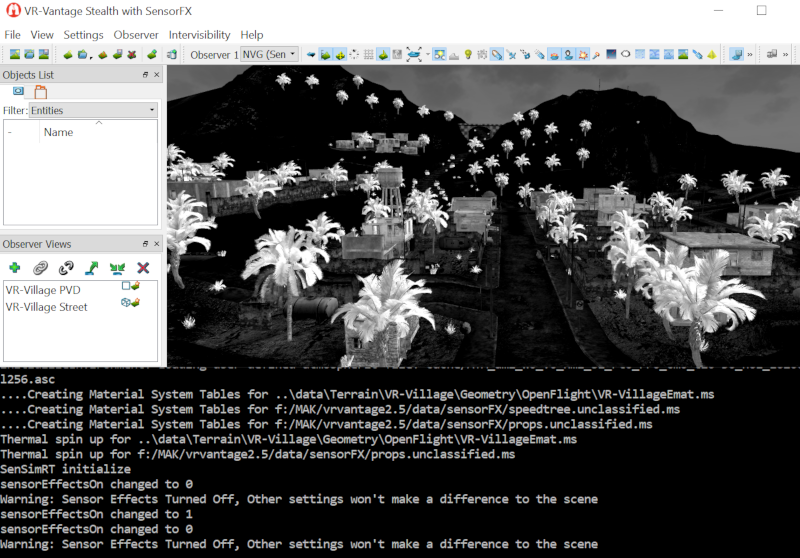
Sensor Settings Result
Example details
This example will show how to bind keys to control different SensorFx settings.
- Press 'r' key to "Toggle Sensor Effects Enable"
- Press 'f' key to "Toggle Filter Enable"
- Press 'n' key to "Toggle Noise Enable"
- Press 't' key to "Toggle AGC Enable" (Must be kept on for NVG)
- Press 'g' key to "Toggle Gain Enable"
- Press 'h' key to "Toggle Halo Enable" (Only applicable to nighttime scenes in NVG)
- Press 'y' key to "Toggle Black Hot Enable" (Only applicable only to IR sensors)
- Press 'b' key to "Toggle Motion Blur Enable"
- Press 'i' key to "Increase Amount of Noise"
- Press 'i' key + SHIFT to "Decrease Amount of Noise"
- Press 'u' key to "Increase Amount of Blur"
- Press 'u' key + SHIFT to "Decrease Amount of Blur"
- Press 'j' key to "Increase Amount of Gain" (AGC must be turned off to see an effect)
- Press 'j' key + SHIFT to "Decrease Amount of Gain" (AGC must be turned off to see an effect)
- Press 'k' key to "Increase Amount of Level" (AGC must be turned off to see an effect)
- Press 'k' key + SHIFT to "Decrease Amount of Level" (AGC must be turned off to see an effect)
Building the Example
VR-Vantage includes pre-built versions of the example plug-in. To build it yourself, follow the instructions at Building VR-Vantage Examples, Applications, and Plug-ins.
Running the Example
This example is a plug-in. You can run it by running ./bin64/exampleSensorSettings_sensorFX.bat or ./bin64/exampleSensorSettings_sensorFX.sh (on Linux). For more information about running examples, please see Running Applications and Examples.
Example Source Files
DtExampleSensorSettingsManager.cxx
DtExampleSensorSettingsManager.h
exampleSensorSettingsPlugin.cxx
exampleSensorSettingsPlugin.h
[<< Examples] [Home] [Top of Page]